Read the host page
The clock, countdown, viewers, current and next question, ON AIR, cues, notes and text size.
This page explains everything on your host page, from top to bottom. It's built to be read at a glance from a phone or iPad on stage.
From top to bottom
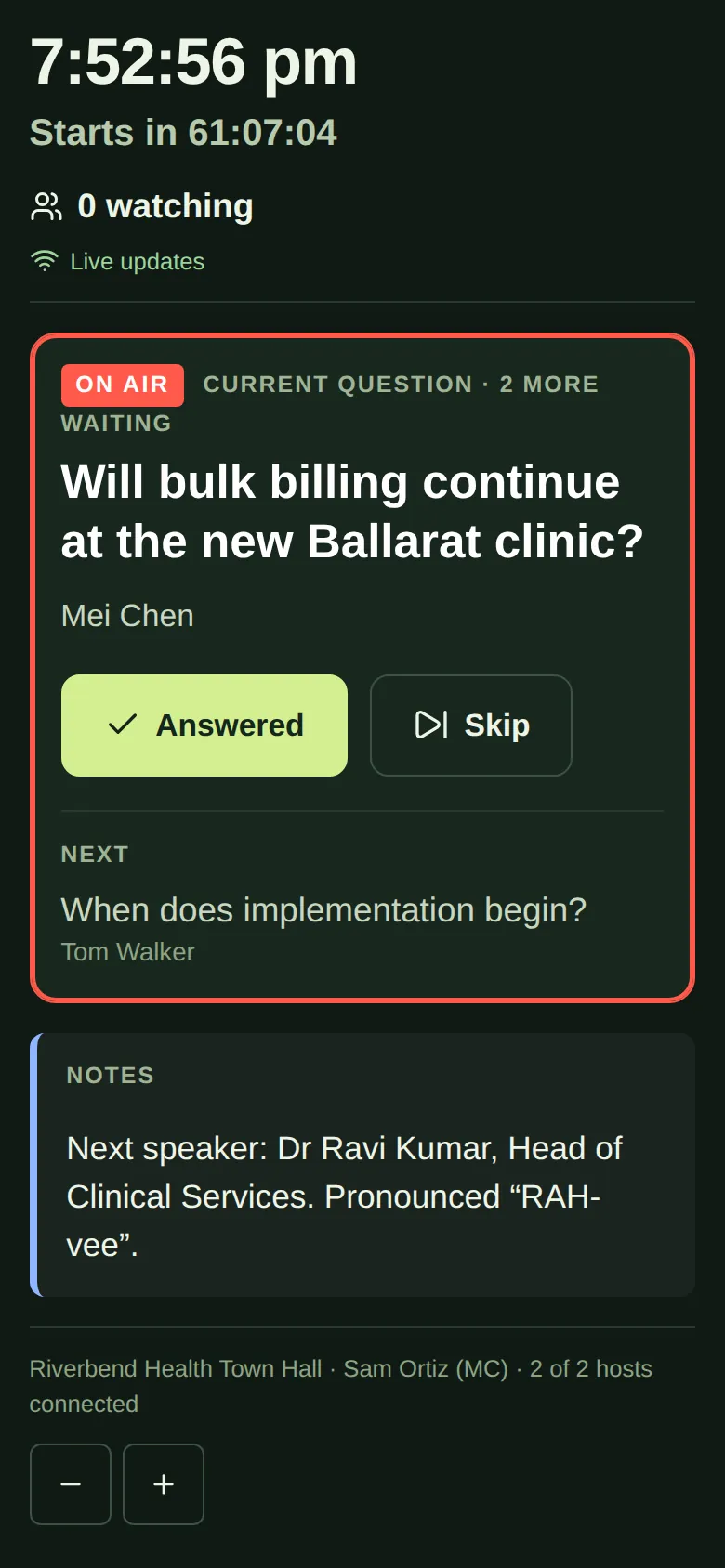
- The time, as a big clock.
- The countdown: “Starts in…” before the event, then “… left” during it. It turns yellow with 5 minutes left, and red if you run over, for example “Over by 2:10”.
- How many are watching, for example “312 watching”.
- Live updates: shows the page is connected. If it says Reconnecting…, the page is catching up after a drop-out. It keeps your last screen in the meantime.
- Cues from the producer, in yellow, such as “Wrap up in 2 minutes”. They flash, and phones buzz. Tap OK so the producer knows you've seen it.
- Current question: the question to ask now, in big text. It shows the asker's name, or “Anonymous” if they hid it. When the control room puts it on air, it has a red frame and an ON AIR badge.
- Next: the question coming up after this one.
- Notes from the producer, such as how to say a speaker's name. They stay until the producer removes them.
- Recently: the last few questions answered or skipped, with Undo if you made a mistake.
- At the bottom: the event name, your name, how many hosts are connected, and − and + buttons.
Make the text bigger or smaller
Tap + at the bottom to make the text bigger, or − to make it smaller. Your text size is remembered on that device.
Good to know
- If there's no question waiting, the page says “No questions waiting. The moderators will send them here.”
- If there are several hosts, some questions may be marked “for” one person, for example “for Dr Anna Lee (CEO)”. You only see questions meant for everyone, or for you.
- You never see attendees' email addresses or registration details.
- See Cues and notes from the producer and Mark questions answered or skipped.