Read cues and notes from the producer
Cues flash in yellow and need an OK. Notes stay on screen until the producer removes them.
The producer can send you short instructions, called cues, and longer notes. This page explains how each one looks and what to do.
Cues
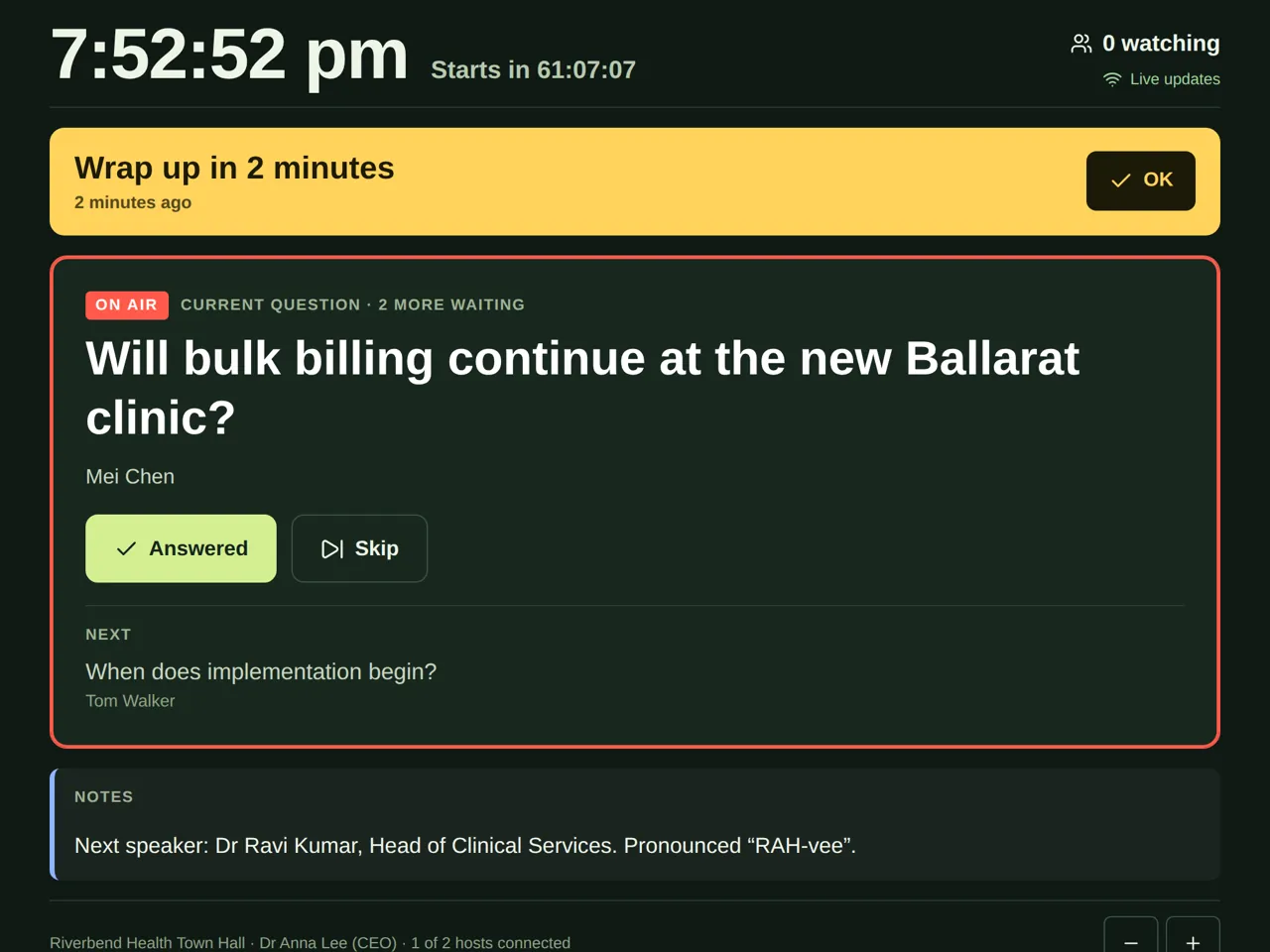
A cue is a short instruction, such as “Wrap up in 2 minutes”, “Time for questions” or “Go to the poll”.
- The cue shows near the top of your page, in yellow. It flashes, and phones buzz.
- Read it, and do what it says when you can.
- Tap OK. The producer then sees that you've seen it, and the cue goes away.
Notes
A note is extra information, such as how to say the next speaker's name.
- Notes show under Notes.
- They stay on your screen until the producer removes them. You don't need to tap anything.
Good to know
- If there are several hosts, the producer can send a cue or note to just one of you, or to everyone.
- If your page says Reconnecting…, new cues and notes show once it's caught up.
- Producers: see Send hosts a cue or a note.