Your audience records the question. Your moderator reviews and approves it. Production takes the selected video or audio recording into the live stream, ready for the speaker to answer.
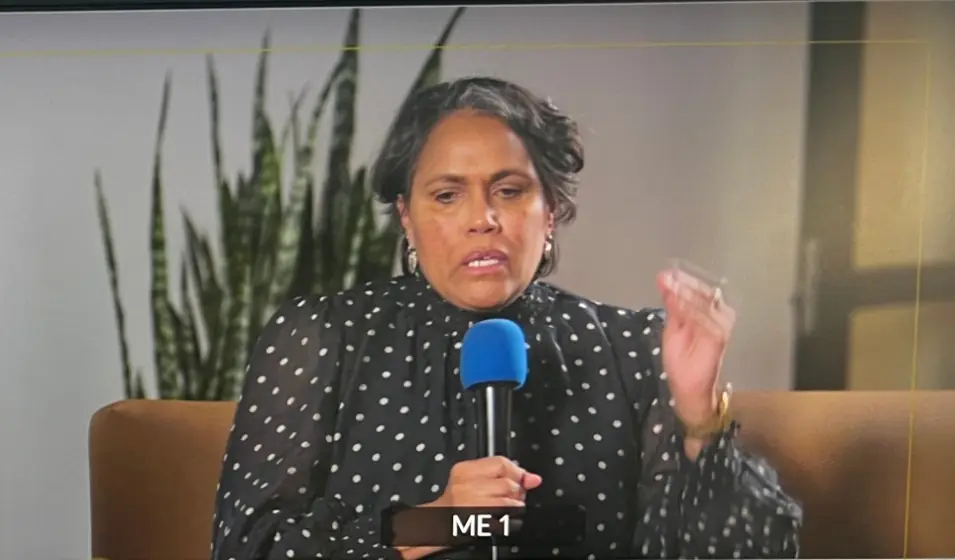
MODERATED Q&AThe right question, to the right speaker.JPC multi-camera production · NAIDOC Week panelSee what your viewers experience↗
Some of our live stream clients
PRODUCED BY THE JASPER PICTURE COMPANY PTY LTD
From audience submission to the live broadcast.
Video and audio questions can be moderated and passed straight to production for use in the stream. Your team keeps control of the content and the moment it goes to air.
01
Choose the right question format
Written questions are quick to scan. Audio adds a voice; video adds a face. Viewers can record or upload a short contribution where enabled. Explain the permitted length and how recordings may be used before inviting submissions.
02
Review before sharing
Video and audio questions always wait for moderator approval. Written questions can also be held for review, with profanity screening as an extra safeguard. Agree who checks relevance, personal information and duplicates. Approval makes a question available; production still chooses whether and when it goes to air.
03
Give the host a clear selection
Use upvotes as one signal of interest, alongside the moderator’s judgement. The producer chooses an approved question for the presentation display and clears or replaces it as the conversation moves on.
04
Put a question on screen, timed to the stream
Approve a question and put it on screen: it appears over the video for every viewer, including in full screen, until you take it off. Online viewers watch a little behind the room. If your producer is in the venue, the question waits for that delay, so viewers see it as it’s read out. Short announcements work the same way.
05
Send approved recordings straight to production
Production can open or download the original video or audio recording from the contribution, cue it in the agreed playback setup and bring it into the live stream. The moderator approves the content; the production team chooses when to play it. That keeps recorded questions connected to the show’s running order.
Moderators send them to a private host view: each host gets their own link to open on a phone or iPad without signing in. Moderators can tidy a question’s wording before sending it, and the original is kept in the event record. Cues and notes from the producer appear on the same screen.
Can people ask anonymously?+
Anonymous contribution can be enabled. Anonymous display hides the contributor’s name from other viewers; it should not be described as a promise that no identifying information is processed.
Can both video and audio questions be used in the stream?+
Yes. Both formats can be reviewed, approved and made available to production for playback. The original recording can be opened or downloaded from the contribution. Your production team cues it and controls when it goes to air.
Can we turn moderation off?+
You can choose whether written questions need approval. Audio and video recordings always require review before publication. Profanity screening supports text moderation, but does not replace listening to or watching a recording.
PRICE GUIDE
Know your budget before you book.
One cameraA$3,025–$3,850incl. GST · A$2,750–$3,500 ex. GST
Two camerasA$3,850–$6,600incl. GST · A$3,500–$6,000 ex. GST
Send us your date and a rough brief. We’ll help with the rest. Every production is backed by the JPC guarantee: it stays live or it’s free. How we keep it live