Vote as someone’s proxy
Vote for a member who appointed you, as a directed or undirected proxy.
A proxy is someone allowed to vote for another member. This page is for you if a member has appointed you as their proxy.
Getting in
Get in the same way as a member: with your voting link, by signing in with your email, or at the venue. See Get in to vote.
Voting
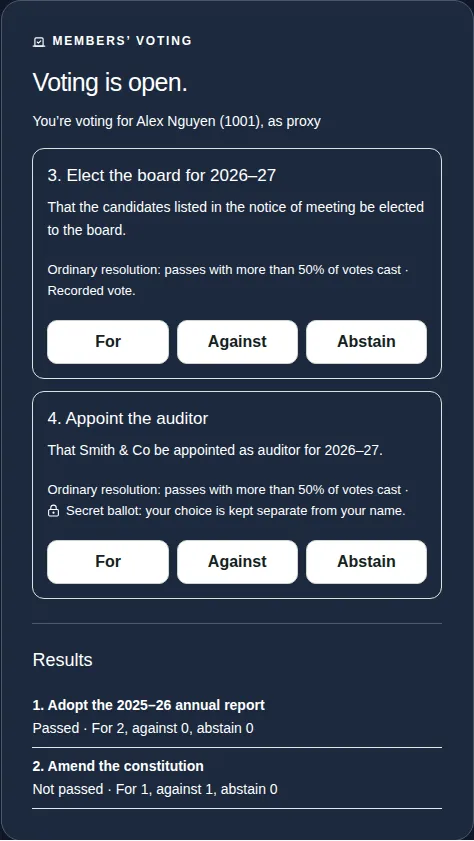
- Check the panel. It says “You're voting for [their name] ([number]), as proxy”.
- Choose For, Against or Abstain for that member.
- Choose Confirm vote.
If you're also a member, you get a separate set of buttons for your own vote and for each proxy you hold. Vote on each one.
Directed and undirected proxies
- Directed proxy: the member told you how to vote. Only that choice can be pressed, and the panel says, for example, “This proxy directs a vote For”.
- Undirected proxy: you decide how to vote.
Good to know
- If the member who appointed you comes to the meeting, online or in person, they usually vote themselves and your proxy isn't used.
- Proxies are sent to the meeting's secretary before the meeting. You can't set one up in the app yourself.
- Once a vote is recorded, it can't be changed.