Vote when more than one resolution is open
Vote on each open resolution separately. Secret ballots show a padlock.
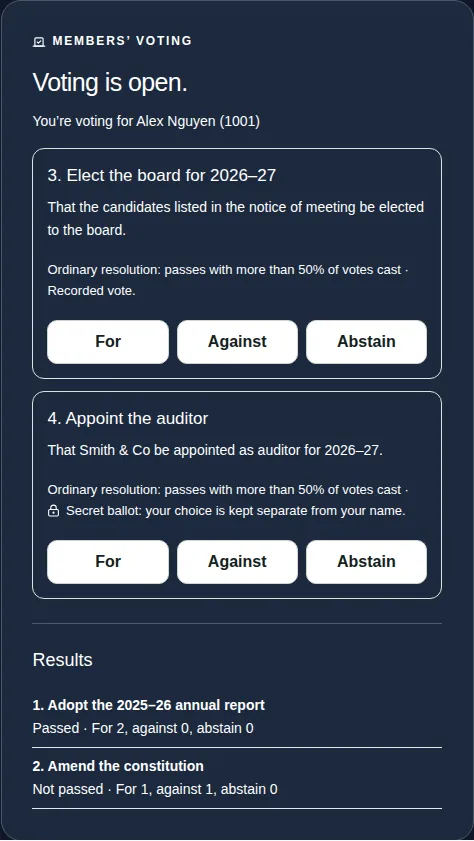
Sometimes the chair opens voting on more than one resolution at once. Each one shows as its own card in the MEMBERS' VOTING panel.
Steps
- Read each resolution: its number, title and wording, and what it needs to pass.
- On the first one, choose For, Against or Abstain, then Confirm vote.
- Do the same on the next one. Each resolution needs its own vote.
Good to know
- Resolutions can be different kinds. For example, an ordinary resolution passes with more than 50% of votes cast, and a special resolution needs at least 75%.
- A secret ballot shows a padlock. Nobody can see how you voted on it, only that you voted.
- Once each vote is recorded, you can't change it.
- For the full steps, see Cast your vote on a resolution.