Register for an event
Fill in the sign-up form to get your personal join link by email.
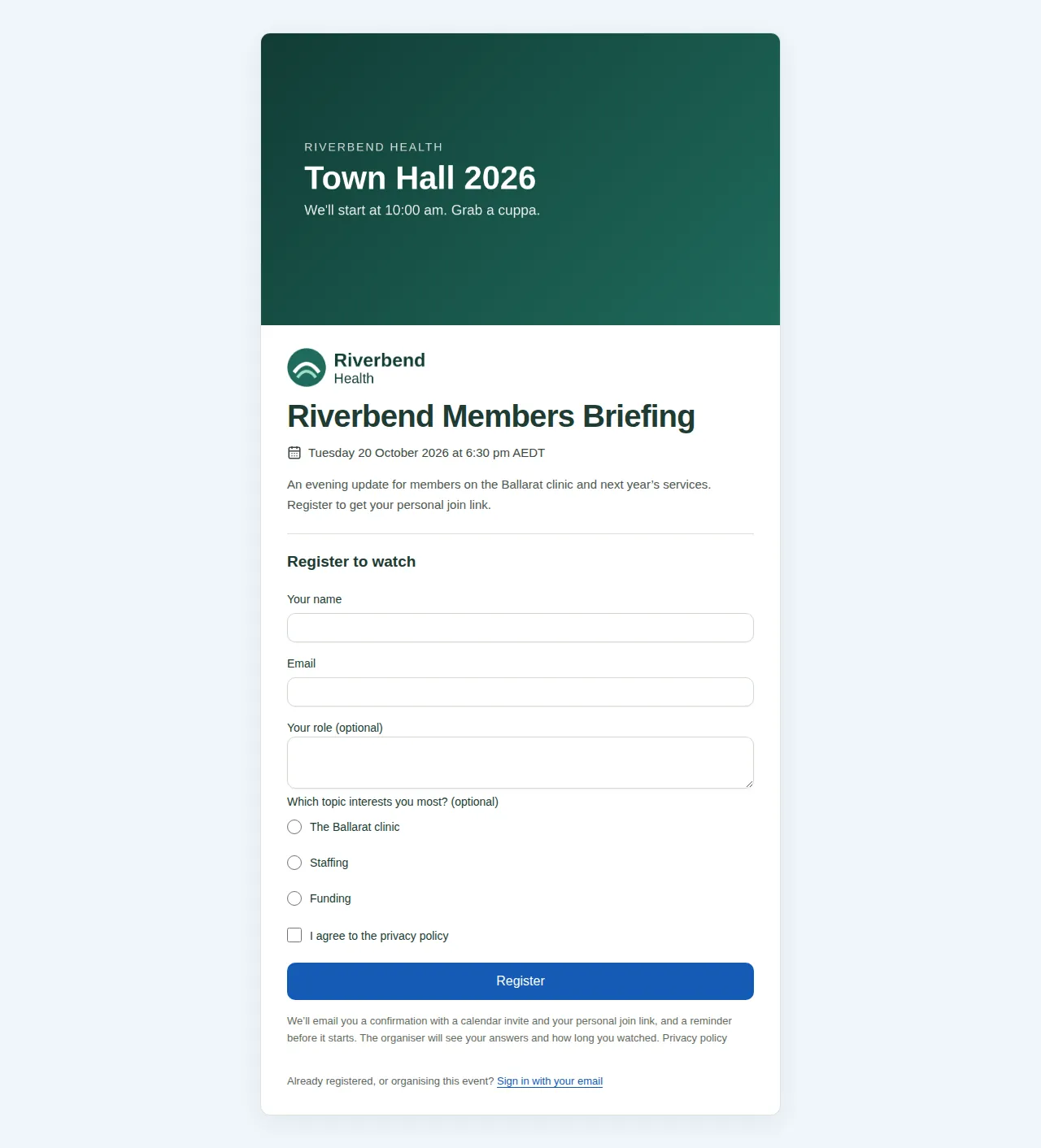
Some events ask you to register first. When you open the event link, you see a sign-up form instead of the event page. After you register, you get an email with your own join link.
Steps
- Open the event link. The sign-up page shows the event's name, when it starts in your own time zone, and a short introduction.
- Fill in Your name and Email.
- Answer the organiser's questions. Questions you can skip say "(optional)". A question might need a short answer, one choice, some tick boxes or a single "I agree" box.
- Choose Register.
- You see "You're registered". A moment later, the event page opens.
What you get by email
- A confirmation, called "You're registered: [event name]". It has:
- the date and time, in Melbourne time;
- your personal join link. It takes you straight in on any device, with no code. Please don't share it;
- a Google Calendar link, and a calendar invite you can open in Outlook or Apple Calendar. It reminds you 15 minutes before;
- a link to cancel.
- "Tomorrow: [event name]", the day before, if you registered more than 26 hours ahead.
- "Starting soon: [event name]", about an hour before, if you registered more than 2 hours ahead.
The device you registered on stays signed in to the event for 30 days.
If something's not right
| What you see | What it means |
|---|---|
| "You're already registered" | You've registered before. We email your join link to you again. |
| "Registration for this event has closed" | The organiser set a closing time, and it has passed. |
| "This event is full" | The organiser set a number of places, and they've all gone. |
| "This link no longer works" | The registration was cancelled, or the link got cut off. Use the link in your latest email, or register again. |
Can't make it?
- Open the cancel link in your confirmation email.
- Choose Cancel my registration.
Your answers are deleted and your join link stops working. You can register again later.
Good to know
- Already registered? Use the personal join link in your email. The form also has a Sign in with your email link at the bottom.
- The organiser sees your answers. If they keep a viewing report, they also see how long you watched. See What viewing reports mean for you.
- This is different from the Register for this event button on the About tab. See Register your name from the About tab.