Read the attendance report
See who watched, for how long, and download the attendance report as a spreadsheet.
The attendance report shows who watched your event and for how long. It's there for events where people register, or where the named viewing report is on. This page is for producers.
Open the report
- On the producer page, open Reports, records and access.
- Open the Viewing report tab.
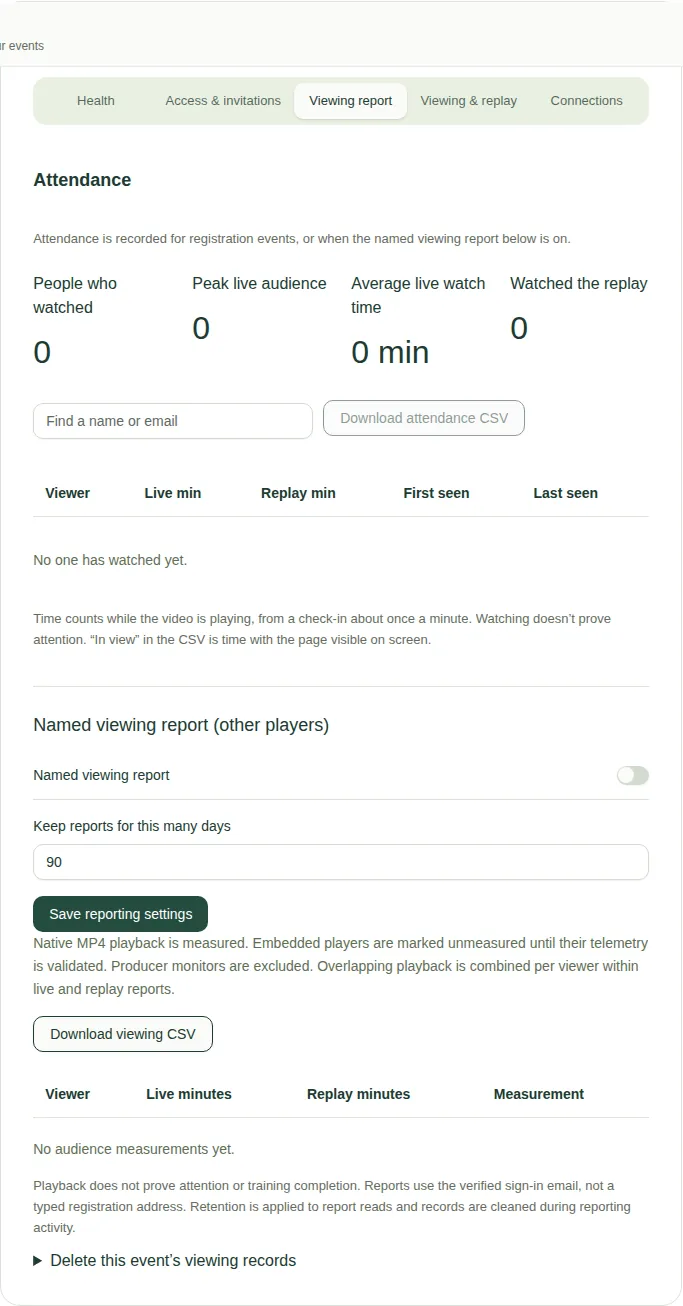
What you see
- People who watched, Peak live audience, Average live watch time and Watched the replay.
- A table with each viewer's live minutes, replay minutes, and when they were first and last seen.
- Find a name or email searches the table.
Download it
Choose Download attendance CSV to save it as a spreadsheet file. In the file, "In view" is the time the page was actually showing on the person's screen.
How watch time is counted
Watch time is counted while the video is playing, from a check-in about once a minute. It shows someone had the video playing. It doesn't prove they were paying attention.
Good to know
- To record viewing for other kinds of event, see Turn on the named viewing report.
- Viewing records are kept for 90 days unless you change it.
- To tell viewers what's recorded, point them to Viewing reports explained.