Close the replay
Set a date and time when the replay disappears from your event page.
You can choose when your replay stops being available. After that time, the replay disappears from the event page by itself. This page is for producers.
Steps
- On the producer page, open Reports, records and access.
- Open the Viewing & replay tab.
- In Replay closes, choose the date and time.
- Choose Save viewing and replay settings.
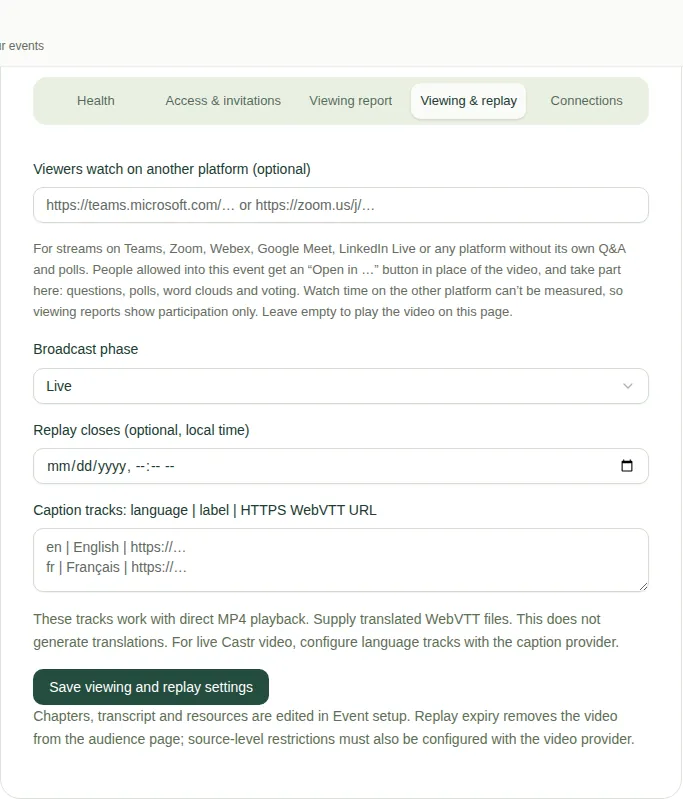
After that time, viewers see "Replay access has ended".
Good to know
- Replay closes is optional. Leave it empty to keep the replay up.
- To take the replay down straight away, see Use another replay link.
- For the other settings on this tab, see Change the viewing and replay settings.