Support a question
Show you want someone else’s question answered too.
If someone else has already asked the question you were going to ask, you can support it. This tells the event team that more people want it answered.
Steps
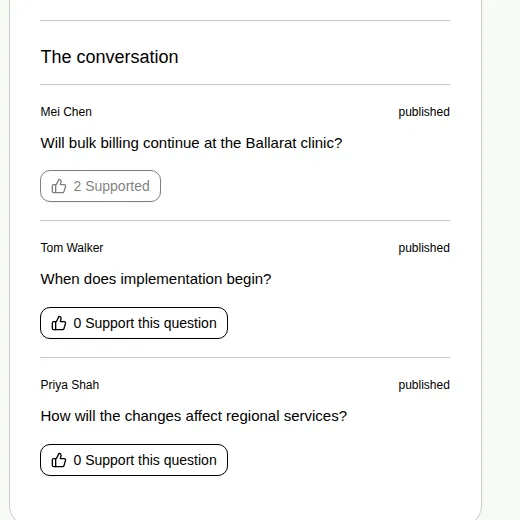
- Open the Q&A tab and look under The conversation.
- Find the question you like. Each approved question has a Support this question button.
- Choose Support this question.
The button changes to Supported, and the number on it goes up by one.
Good to know
- You can support each question once.
- Only approved questions show under The conversation for everyone, so those are the ones you can support.
- To ask your own question, see Ask a question.