Watch on a phone or tablet
How the event page works on a small screen.
Everything works on a phone or tablet, including questions, polls and voting. You don't need an app. Just open the event link in your phone's web browser.
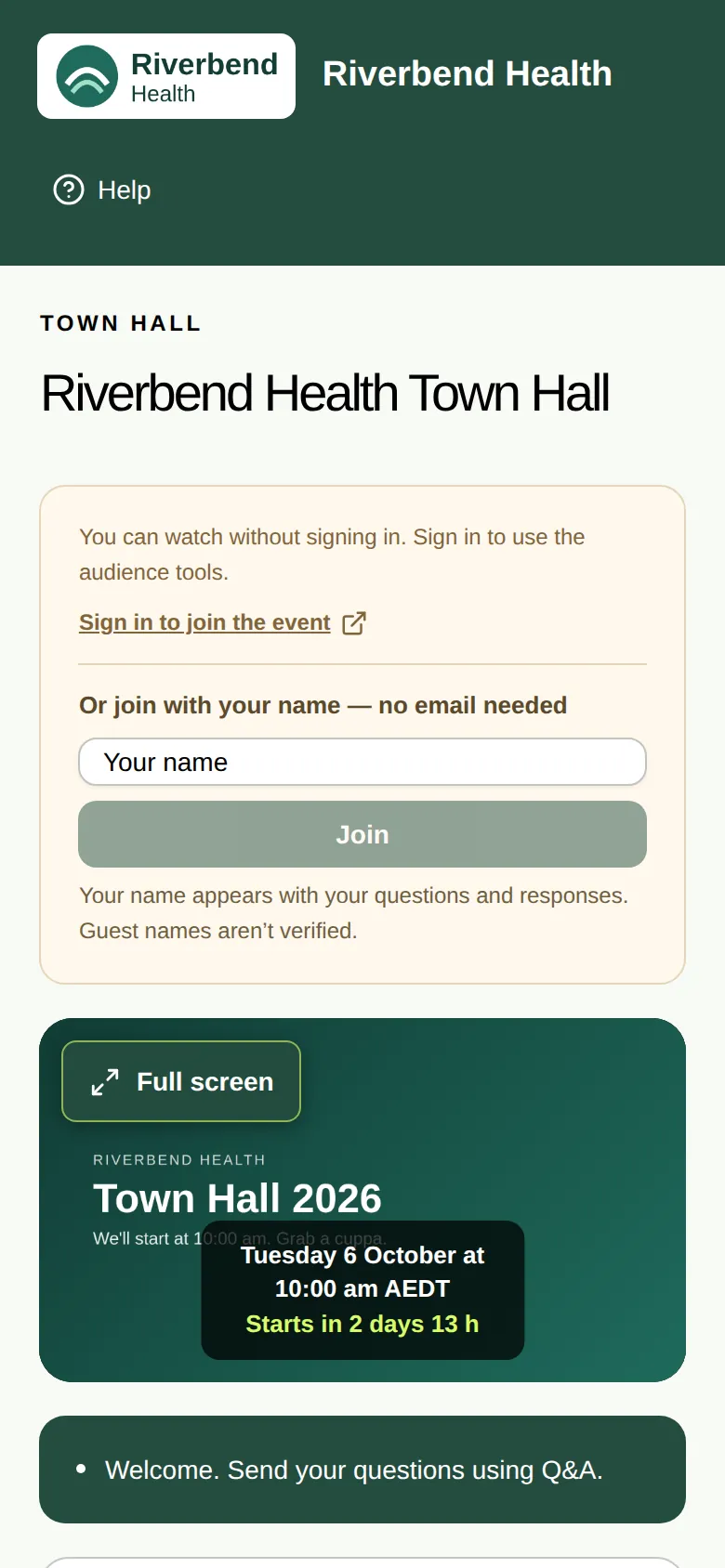
How the page looks
On a phone, the page stacks into one column:
- The top bar and the event name.
- The box to type your name or sign in, if the event needs it.
- The video.
- The message under the video, then the take-part sections underneath.
Scroll down to find Q&A, polls, the information tabs and More & help.
Tips
- Tap the video to show the player controls. Tap the speaker icon if you can't hear anything.
- Choose Full screen for a bigger picture. See Watch in full screen.
- Use A+ or A++ to make the text bigger. See Make the text bigger.
- Watching on a TV? You can take part from your phone with the QR code. See Take part on your phone.