Ask the event team for help
Send a private message to the event team if something isn't working.
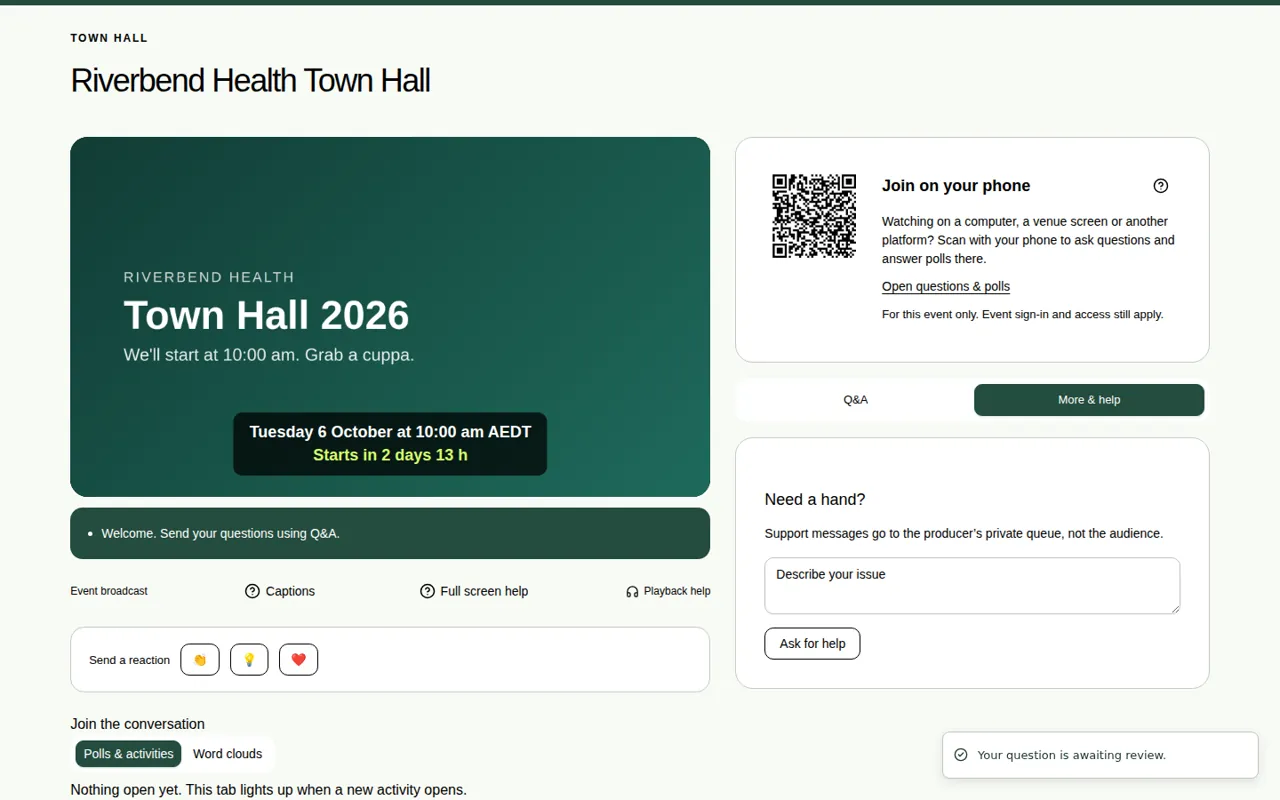
If something isn't working during the event, you can send a private message to the event team. Other viewers don't see it.
Steps
- Choose the More & help tab on the right of the event page. On a phone, it's further down the page.
- In the Need a hand? box, describe the problem, for example "I can't hear anything".
- Choose Ask for help.
- Keep the page open. The event team's reply appears under your message.
Other ways to get help
- Playback help, under the video, has tips on sound and refreshing. Its Contact event support button emails the JPC production team.
- Help, at the top right of the page, opens a short guide to the event page.
Good to know
- Only the event team sees your message.
- If Ask for help is greyed out, type your name or sign in first.
- To ask the speakers a question, use the Q&A tab instead. See Ask a question.
- Quick fixes for common problems are in Fix sound and playback problems.