When the event is on Teams, Zoom or another platform
Watch on the other platform and take part on the event page.
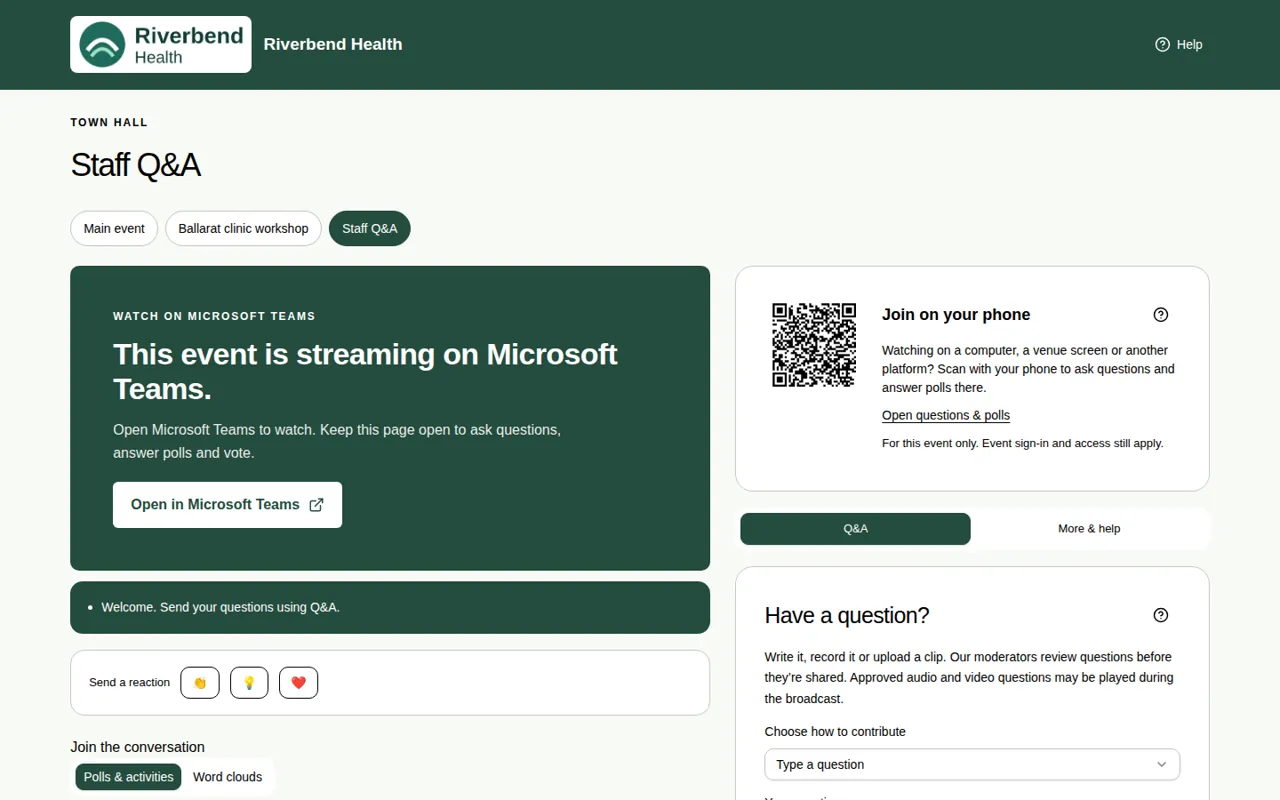
Some events stream on another service, such as Microsoft Teams, Zoom, Webex, Google Meet, YouTube, Vimeo, LinkedIn, Facebook, GoTo Webinar or ON24. You watch the video there, but you ask questions, answer polls and vote on the event page.
Steps
- Open the event page. Instead of the video, it says "This event is streaming on Microsoft Teams", or whichever service is used.
- Choose Open in Microsoft Teams (or the name of the service), or Open the stream. It opens in a new tab.
- Keep the event page open in another tab. Go back to it to ask questions, answer polls and vote.
Good to know
- You may still need to type your name or sign in on the event page before you can take part. See Join with just your name.
- You can also watch on your computer and take part on your phone. See Take part on your phone.
- The room tabs still work, so you can move between rooms. See Move between rooms.