Add resolutions
Type each resolution members will vote on, choose its type, and mark it as a secret ballot if needed.
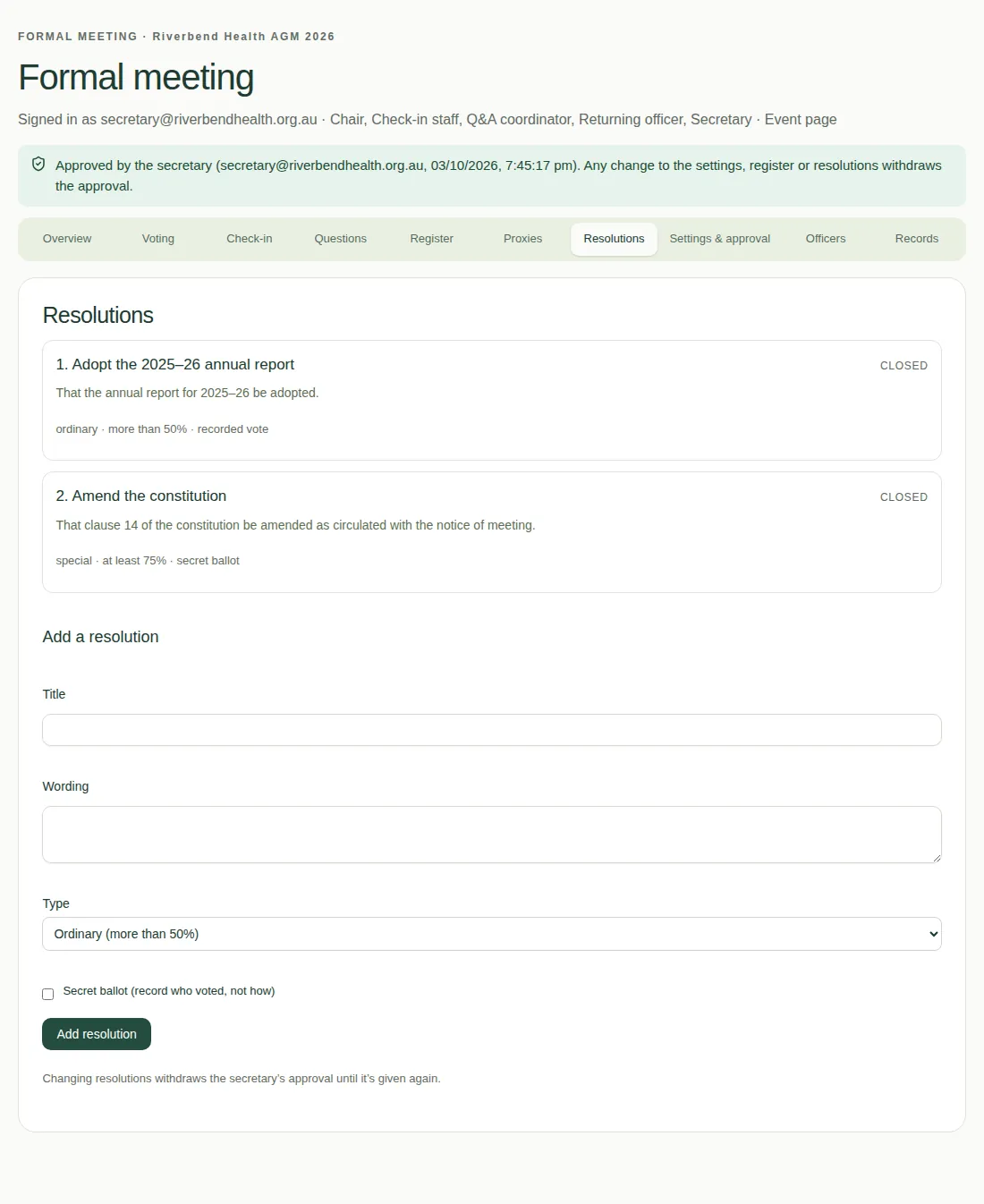
A resolution is a proposal members vote on. The secretary adds them on the Resolutions tab.
Steps
- Type a Title.
- Type the exact Wording of the resolution.
- Choose a Type: Ordinary (more than 50%), Special (at least 75%), or a custom threshold.
- If it's a secret vote, tick Secret ballot (record who voted, not how).
- Choose Add resolution.
Good to know
- You can Edit or Remove a resolution until its voting opens.
- Changing resolutions takes away the secretary's approval until it's given again. See Approve the meeting.
- In a secret ballot, the records show who voted, but not how. See Download the meeting records.
- The default pass marks come from your meeting settings.