Keep the question register
Track every question, record ones that came in another way, assign written answers and download the Q&A.
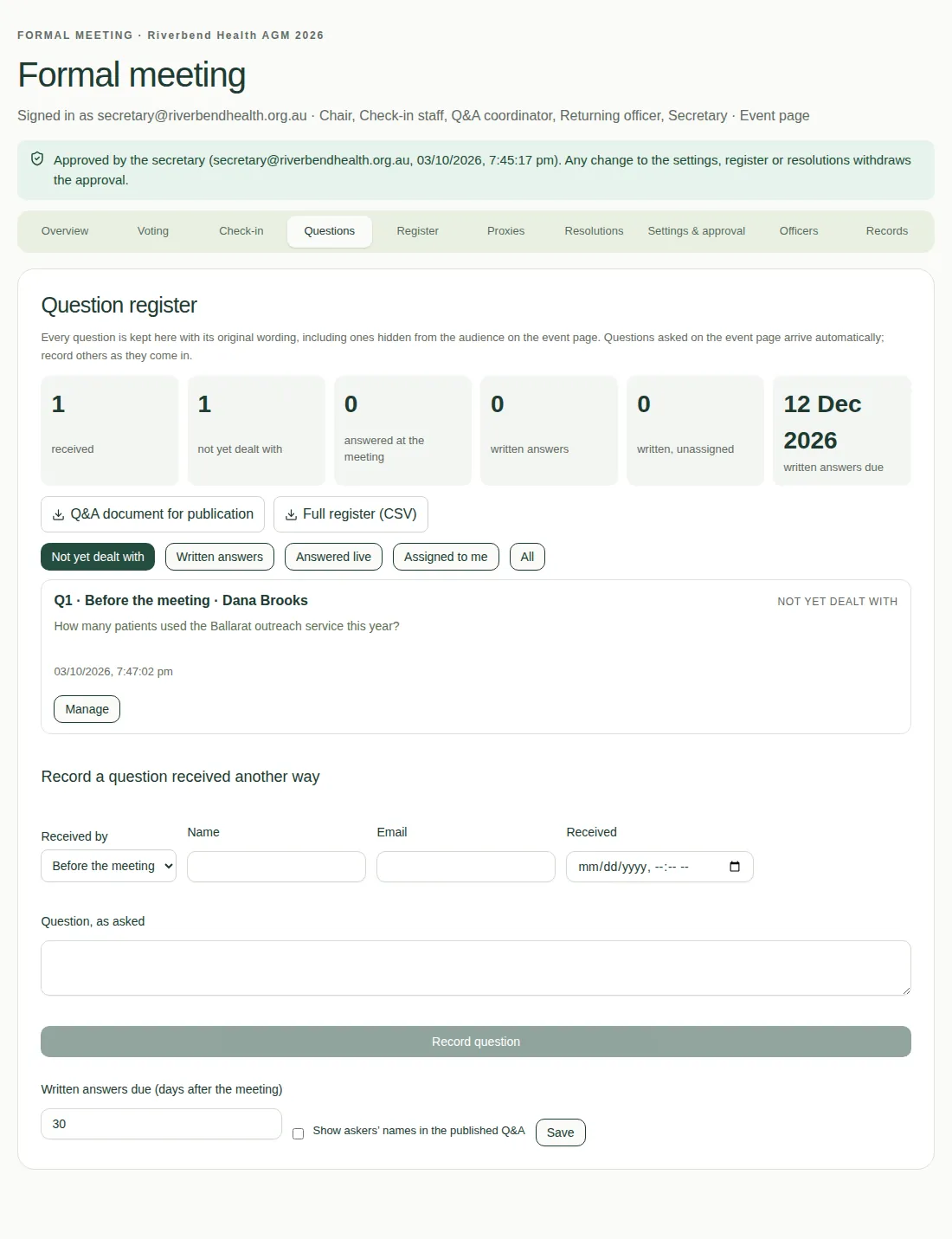
The Questions tab keeps every question in its original wording, including ones hidden from the audience. Questions asked on the event page arrive by themselves. The Q&A coordinator looks after it.
Record a question that came in another way
Use Record a question received another way for questions sent before the meeting, by email, at the venue, by phone or by post. Fill in the details and choose Record question.
Deal with a question
- Choose Manage on the question.
- Set its Outcome:
- Not yet dealt with
- Answered at the meeting
- Written answer to follow
- Not answered
- Outside the meeting's scope
- Same as another question
- Add a Topic if you like.
- To have someone write the answer, type their email in Answer writer (email).
Written answers
- The answer writer opens the question with Write answer, types the Written answer and chooses Save answer.
- The Q&A coordinator checks it and chooses Approve answer.
Set when written answers are due in Written answers due (days after the meeting). The default is 30 days.
Find and download
- Filter with Not yet dealt with, Written answers, Answered live, Assigned to me or All.
- Download Q&A document for publication or Full register (CSV).
- The published document is marked DRAFT until every written answer is approved.
See also Who does what.