Load the member register
Upload your members from a CSV spreadsheet, check who can vote, and exclude someone if needed.
The register is the list of members who can vote, and how many votes each has. The secretary loads it on the Register tab from a CSV file. A CSV is a spreadsheet file you can save from Excel.
Make the spreadsheet
Your spreadsheet needs a header row with Member number and Name. It can also have:
- Email (online voting uses this email);
- Status, for example Ordinary or Life;
- Fees paid (yes or no);
- Votes (how many votes the member has).
You can load up to 20,000 members.
Steps
- Save your spreadsheet as a CSV file.
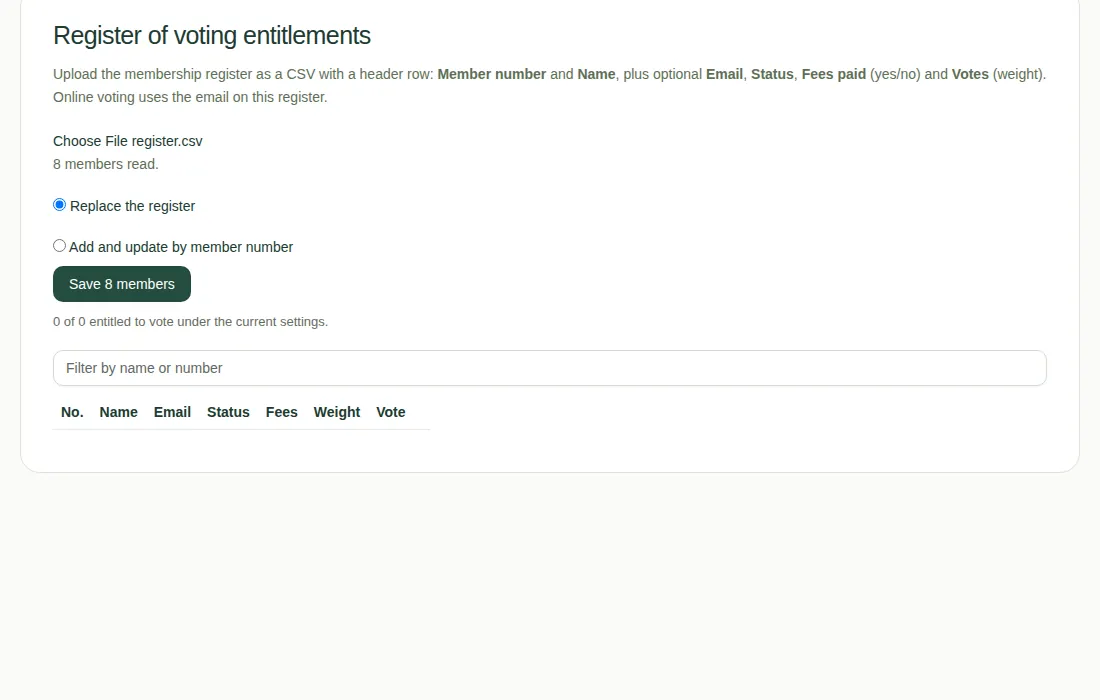
- On the Register tab, choose the file with Choose the register CSV file.
- Check the preview, for example "8 members read". Any lines that were skipped are listed with the reason, such as a member number that appears twice.
- Choose Replace the register, or Add and update by member number.
- Choose Save with the number of members, for example Save 8 members.
Check who can vote
The table shows each member and whether they can vote. If it says "No", hover over it to see why, for example "Fees not paid".
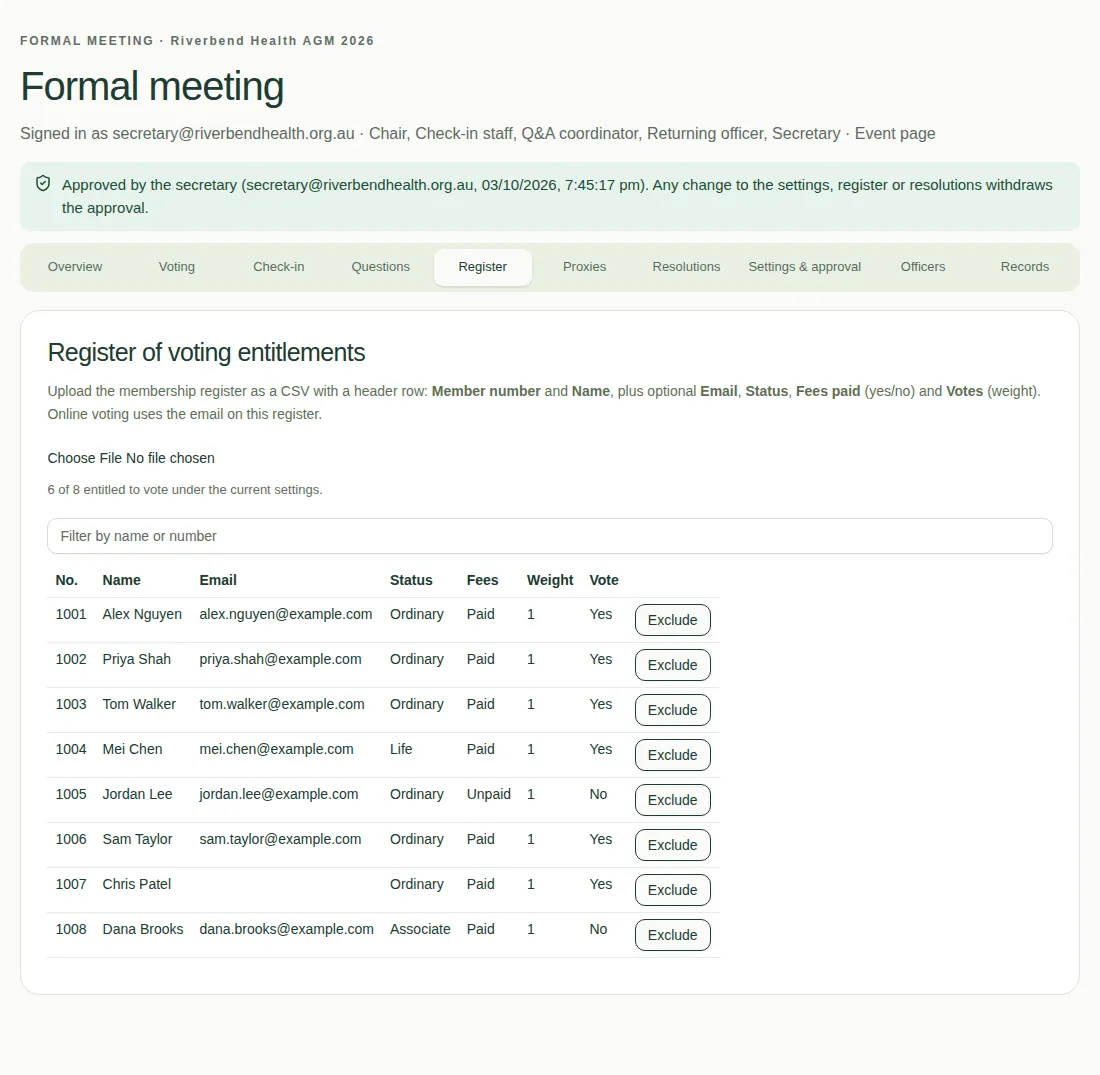
- To stop someone voting, choose Exclude and give a reason.
- To undo that, choose Restore.
- Changing the register takes away any approval. See Approve the meeting.