Name the officers
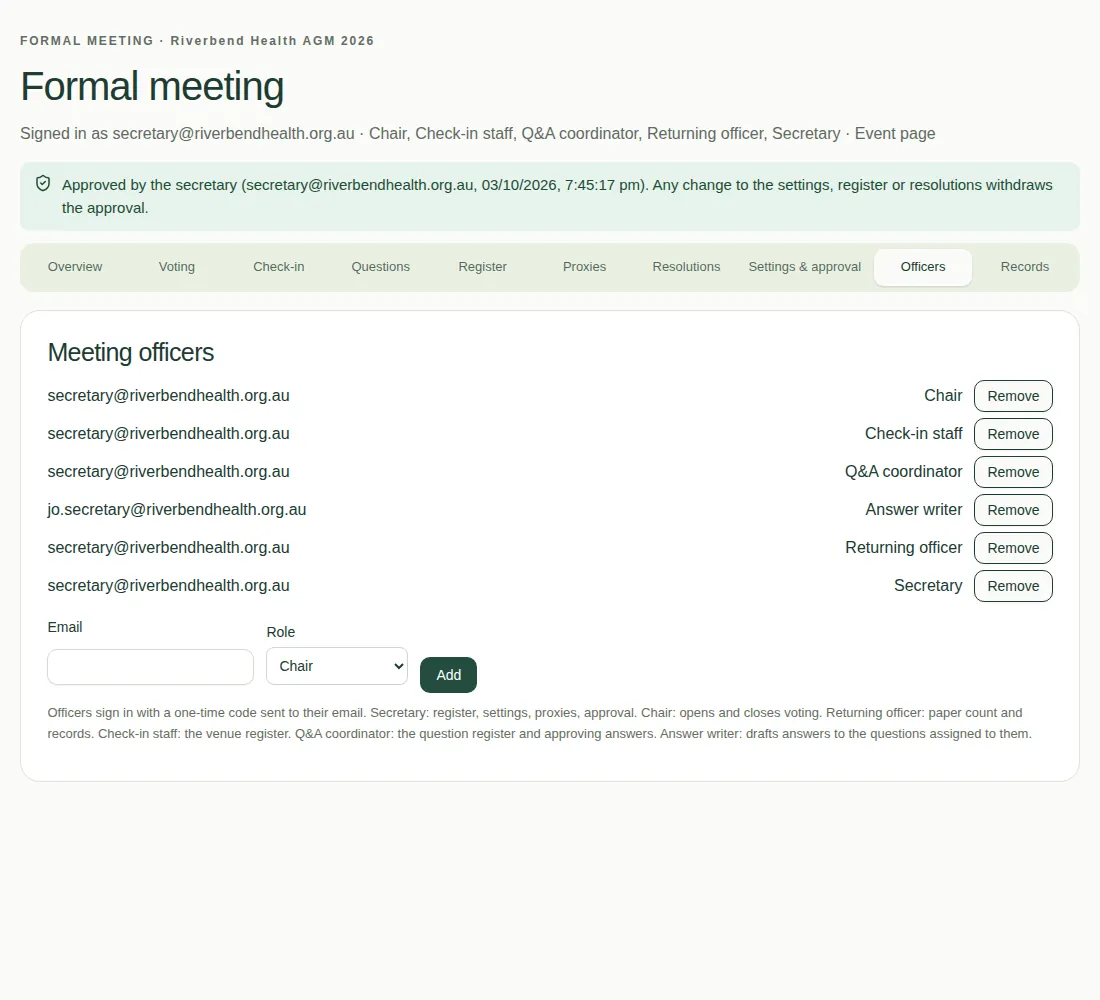
Add the secretary first, then the chair and the other officers, on the Officers tab.
The first job is to name the organisation's secretary. After that, only the secretary manages the officers. Until a secretary is named, your event producer can add one.
Steps
- Open the Officers tab.
- Type the person's Email.
- Choose their Role.
- Choose Add.
- Do the same for each officer. Give someone two roles by adding them twice, once with each role.
Good to know
- To take someone off, choose Remove next to their role. You can't remove the last secretary.
- Officers sign in with an email code, like everyone else. There's no password.
- You must name a chair before you can approve the meeting, because the chair opens and closes voting.
- See Who does what for what each role can do.