Invite people
Build an invite list, then write and send invitation emails.
For a guest-list event, only the people on your invite list can watch. This page shows you how to add them and send them an invitation.
Build the invite list
- On the producer page, open Reports, records and access, then the Access & invitations tab.
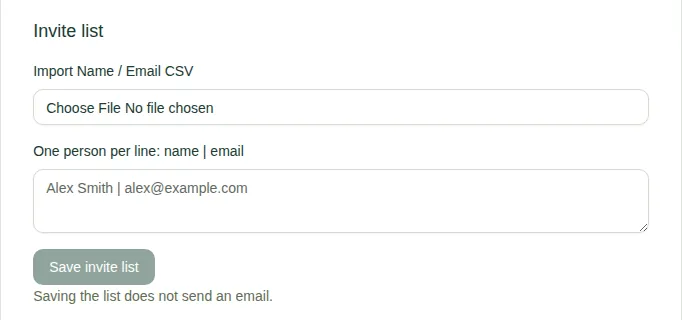
- Under Invite list, add people in one of two ways:
- choose Import Name / Email CSV. A CSV is a spreadsheet saved as a CSV file. It needs a Name column and an Email column, must be under 200 KB, and can have up to 500 rows; or
- type one person per line, like
Alex Smith | alex@example.com.
- Choose Save invite list. Saving doesn't send an email.
Each person on the list has Remove access, if you need to take them off.
Send the invitation
- Under the email draft, type a Subject and Message.
- Choose Save email draft.
- Choose Send saved email to invite list. Each email ends with a sign-in link just for that person.
- You'll see how many emails were accepted for sending. If some didn't go, choose Retry this email campaign. Nobody gets it twice.
Limits
- Up to 1,000 emails per event per day.
- You can't put links in the message. Each person's own sign-in link is added for you.
- People who have unsubscribed are skipped.
Good to know
- For reminders or a "the replay is up" email, see Send reminders and replay emails.
- To see what your guests receive, read Use an invitation.