Choose who can watch
Pick the access option that suits your event: open to anyone, registration, email sign-in or a guest list.
You decide who can watch your event. You choose this during setup, and you can change it later.
The four options
| In setup | In Access & invitations | What it means |
|---|---|---|
| Anyone with the link | Anyone with the link — name only | No sign-in to watch. To ask a question or vote, viewers type their name. |
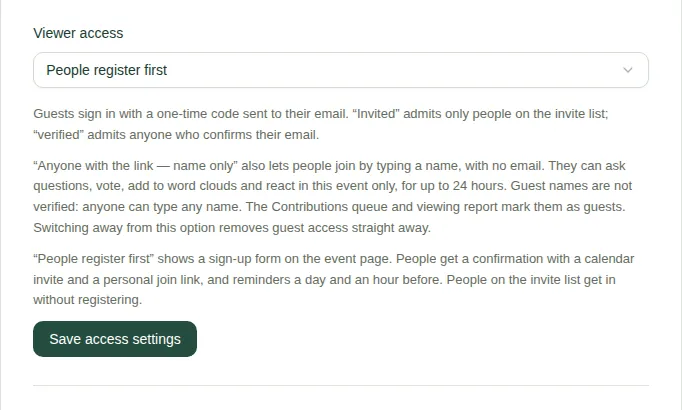
| People register first | People register first | People fill in a sign-up form. They get a confirmation email, a calendar invite, a personal join link and reminders. |
| Viewers sign in with their email | Any verified email | Anyone can watch after entering a code we email them, so you know who attended. |
| Only people on your guest list | Invited email addresses only | You add email addresses. Nobody else can watch, even with the link. |
Change it later
- On the producer page, open Reports, records and access.
- Open the Access & invitations tab.
- Choose an option under Viewer access.
- Choose Save access settings.
You can also use Change setup. See Change the event setup.
Good to know
- Switching away from "Anyone with the link" stops guest access straight away.
- For People register first, set up the form next. See Set up registration.
- For a guest list, add people next. See Invite people.
- To see what viewers go through, read Join with your name and Register for an event.