Find your events
Use the events list to find your events, open the producer page and reach the setup steps.
The events list shows every event you produce. A producer is the person who sets up and runs an event. JPC adds you to each event, and you only see your own events.
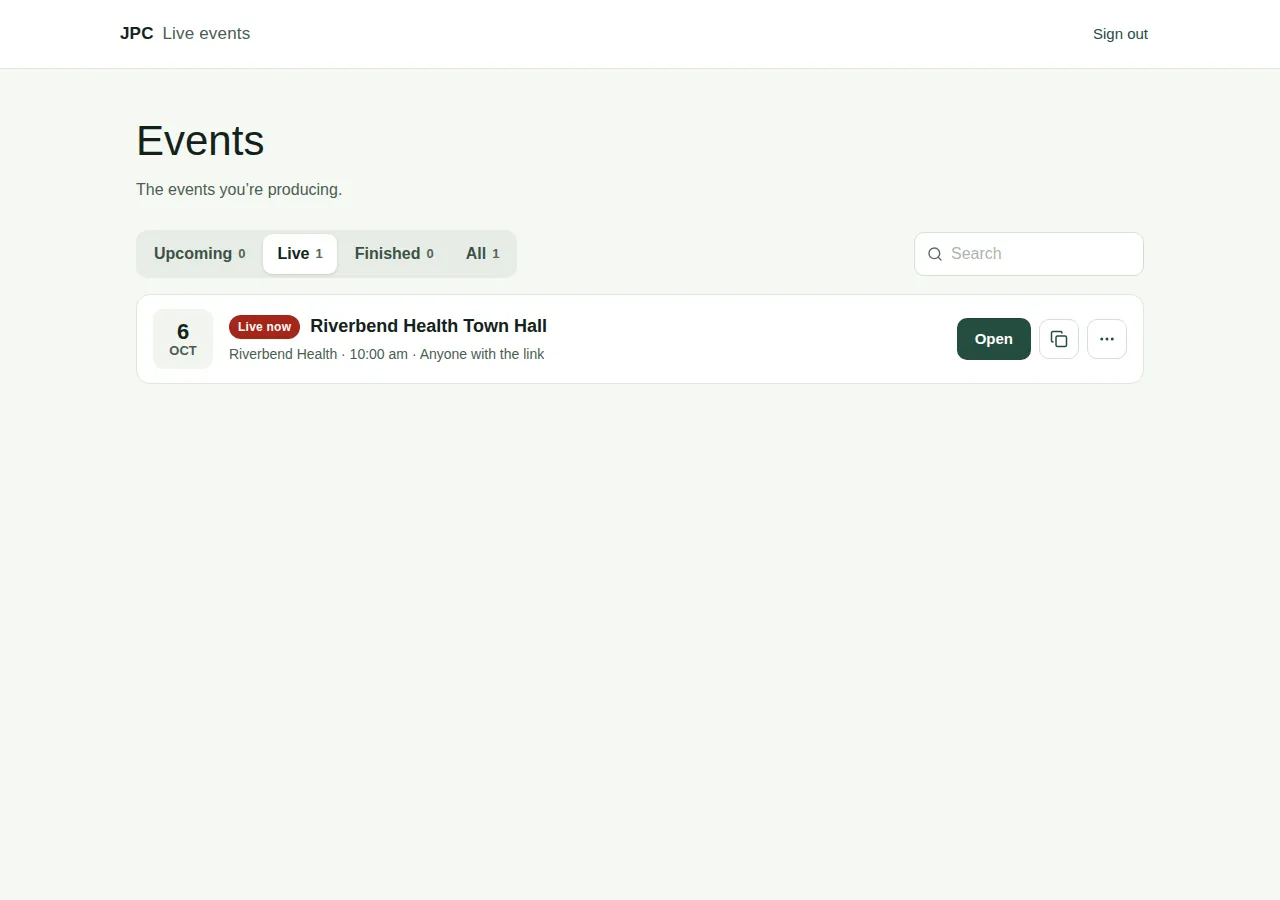
Open the events list
- Go to
livestreamvideo.com.au/manage. - Sign in with the email address JPC added. We email you a 6-digit code, so there's no password. See Sign in with an email code.
- Your events appear in a list. If you have none yet, you see "When JPC adds you to an event, it appears here."
Find an event
- Use the tabs: Upcoming, Live, Finished and All. Each one shows a count.
- Type in Search to find an event by its name, organisation or web address.
Each event shows its date, its organisation and start time, and who can watch. It also has a status:
| Status | What it means |
|---|---|
| Needs setup | JPC has made the event, and you need to finish setting it up. |
| Upcoming | The event is set up and hasn't started. |
| Live now | The event is on now. |
| Finished | It's 12 hours after the start time, or the broadcast has ended. |
The buttons on each event
- Open takes you to the producer page, where you run the event.
- Finish setup appears instead of Open if the setup isn't done yet. See Finish setting up your event.
- The copy icon copies the viewers' link, ready to send to your audience.
- The … (More) menu has:
- Change setup: go back through the setup steps. See Change the event setup.
- See what viewers see: opens the event as a viewer sees it, in a new tab.
- Recordings: download the event's recordings. See Download the video.
Good to know
- Before the show, the recordings list says "No recordings yet. The live stream is recorded automatically."
- Can't see an event? Make sure you signed in with the exact email address JPC added. If it's still missing, ask your JPC producer.