Open and close an activity automatically
Set a time for a poll or other activity to open and close by itself.
You can set an activity to open and close by itself at set times. This is handy for a poll that should open at a fixed point in the program.
Steps
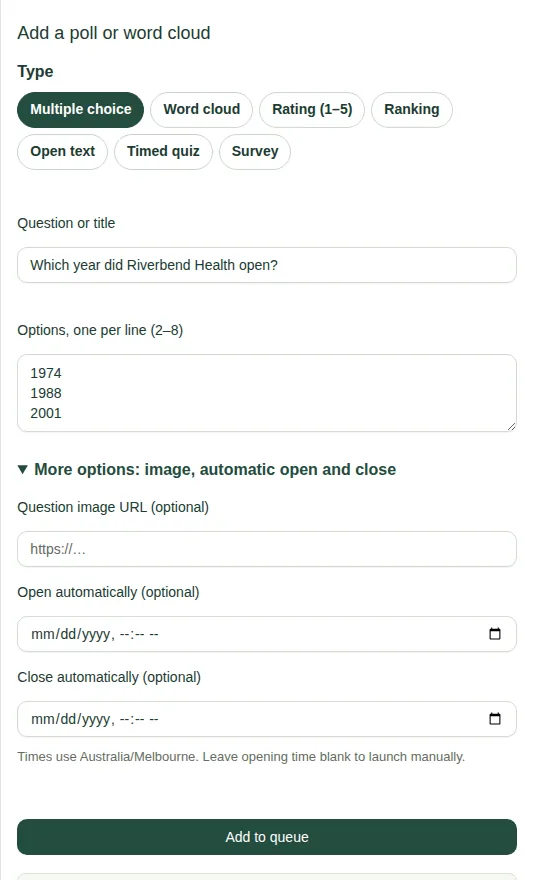
- Open the Polls & clouds tab and scroll to Add a poll or word cloud.
- Fill in the activity as usual. See Add a poll or other activity.
- Open More options.
- Set Open automatically to the time it should open.
- Set Close automatically to the time it should close.
- Choose Add to queue.
Good to know
- Times are in Melbourne time. If you're in another time zone, work out the Melbourne time first.
- Leave the opening time blank to launch it yourself. See Run a poll.
- Both times are optional.