Set or measure the stream delay
Check how far viewers’ picture is behind the room, and set it yourself if you need to.
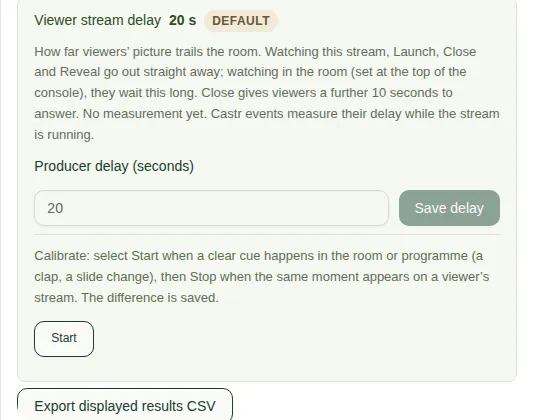
The stream delay is how many seconds viewers' picture is behind the room. It's usually about 20 to 30 seconds. The app uses it when you're watching In the room, so your polls and questions reach viewers at the right moment.
The Viewer stream delay box is in the Polls & clouds tab, under the activity queue.
Where the number comes from
- Before anything is measured, the app uses the Default (20 seconds).
- Castr events measure it by themselves while the stream is running. The label then says Measured.
Set your own
- Type a number in Producer delay (seconds).
- Choose Save delay.
To go back, choose Use default or Use measured delay.
Measure it yourself
You need to see the room and a viewer's stream at the same time.
- Choose Start when something clear happens in the room, like a clap or a slide change.
- Choose Stop and save when the same moment appears on a viewer's stream.