Turn features on and off
Use the Switches tab to turn Q&A, question checking, polls, word clouds, reactions and the QR code on or off.
The Switches tab turns parts of the event on and off. Changes reach viewers within a few seconds.
Steps
- Open the Switches tab.
- Turn each switch on or off.
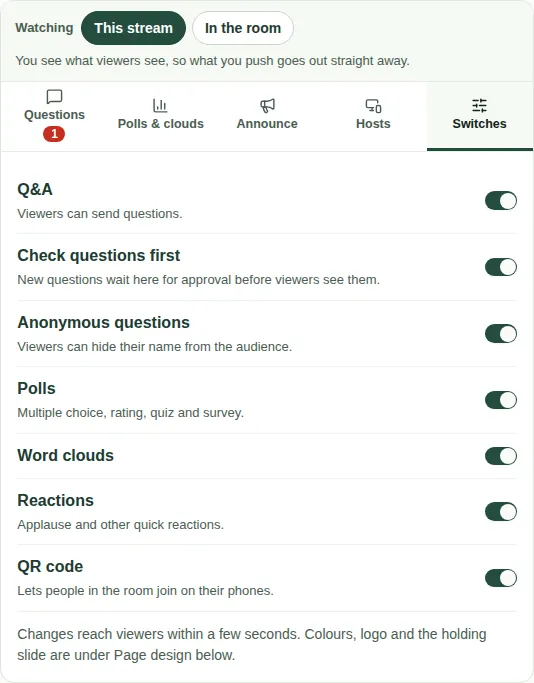
The switches
| Switch | When it's on |
|---|---|
| Q&A | Viewers can send questions. |
| Check questions first | New questions wait in To check until you approve them. |
| Anonymous questions | Viewers can hide their name from the audience. |
| Polls | Multiple choice, rating, quiz, ranking, open text and survey activities can run. |
| Word clouds | Word clouds can run. |
| Reactions | Viewers can tap 👏 💡 ❤️ and other quick reactions. |
| QR code | A QR code lets people in the room join on their phones. |
Good to know
- Turning a switch off hides that tab from viewers. Nothing is deleted.
- See Check new questions.