Send an announcement to every viewer
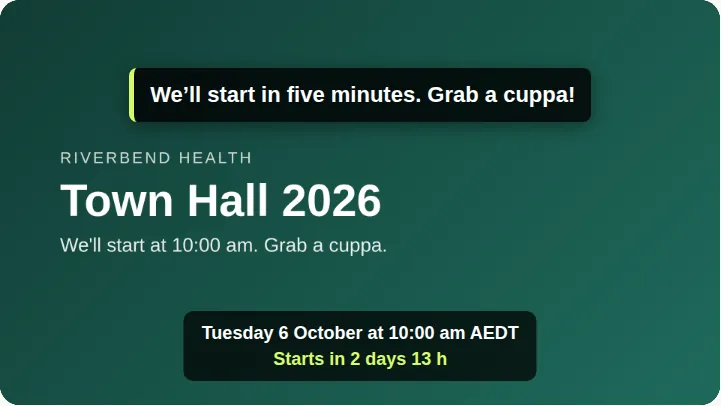
Show a short message over the video for every viewer for about 15 seconds.
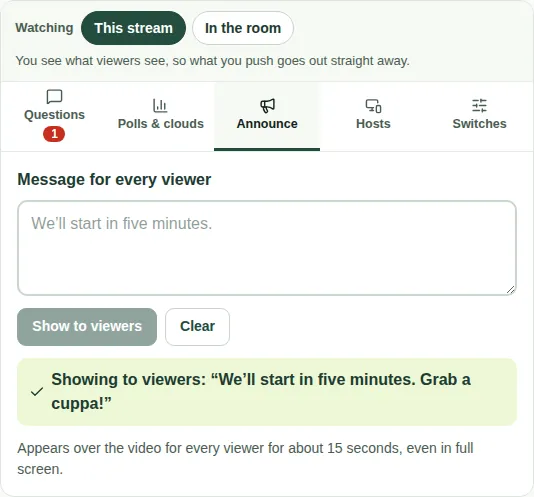
Use the Announce tab to send a short message to every viewer, such as "We'll start in five minutes. Grab a cuppa!"
Steps
- Open the Announce tab.
- Type the message in Message for every viewer.
- Choose Show to viewers.
A green box confirms "Showing to viewers". To remove the message early, choose Clear.
What viewers see
The message appears over the video for about 15 seconds, even in full screen.
Good to know
- If you're watching In the room, it says "Appears for viewers in … s" first. See This stream or In the room.
- For a line that stays under the video, use the message under the video instead. See Set the message under the video.