Mark questions answered, hide them or take them off screen
Tidy the Approved list as the Q&A goes on.
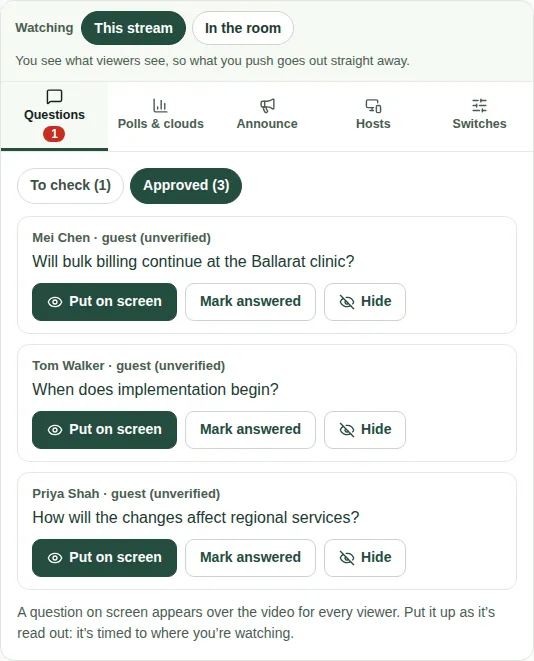
As questions are answered, tidy the Approved list so you can see what's left. These buttons are on each question in the Questions tab, under Approved.
The buttons
| Button | What it does |
|---|---|
| Mark answered | Moves the question out of the list once it's been answered. |
| Hide | Removes the question from everyone. |
| Take off screen | Takes the question off viewers' screens. You only see this on the question that's on screen. |
Steps
- Open the Questions tab, then Approved.
- When a question on screen has been answered, choose Take off screen.
- Choose Mark answered to move it out of the list.
Good to know
- Hosts can mark questions answered or skipped on their own page too. See Mark questions answered or skipped.
- For questions you sent to hosts, the Sent to hosts list in the Hosts tab shows who answered them. See Send a cue or a note.
- See Put a question on screen.